


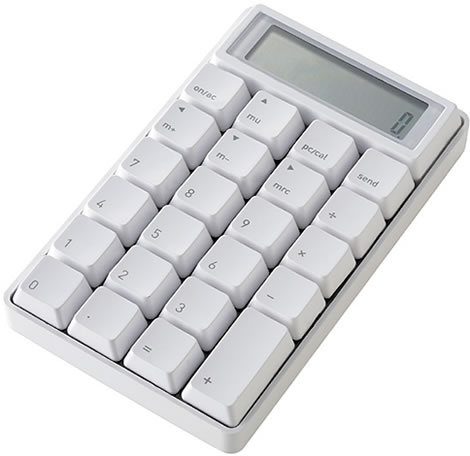
Instead of going for yet another one of those attempts of putting a calculator inside a computer mouse, like Ezkey, Sanwa, and others have tried, the Japanse company Takumi decided to try something different by designing a calculator like a keypad.
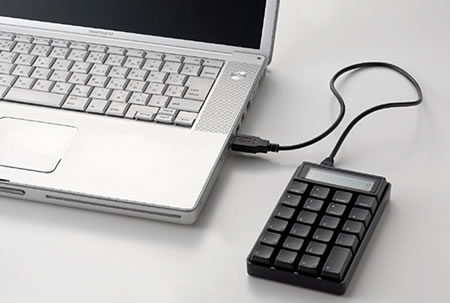
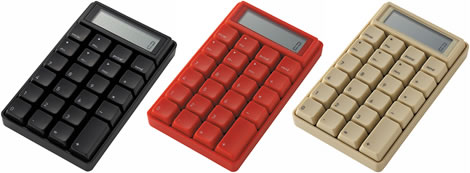
The result is a geeky cool looking calculator which can be connected to the USB port of your Windows based computer. It measures W84×H140×D23 mm and is available in white, black, red and beige.
The Takumi Keypad Calculator costs ¥5250 (about $46 USD) at caina.jp.
(Via TFTS)
9 Comments
Does anyone else find it ironic that it tells you to hook it up to a windows based pc.. and yet it shows it hooked up to a mac.
A powerbook g4 a mac not capable of running windows..
True jimbob, I hadn’t thought of that before. 🙂
Thanks for stopping by!
I wonder why they felt compelled to move the operators (/ * -) from the row above the numbers to the right side… all in favor of those M+ M- buttons on calculators that nobody ever uses.
If it wasn’t for that, I’d really go for this product. You just can’t move keys around because you feel like it, you know….
That’s how it looks on the Apple keyboard I use:
http://www.apple.com/keyboard/
OR you could just use the Calculator application…
Exactly, that’s the way I do it – using the calculator dashboard widget in Mac OS X 🙂
waste of space.
that seems bit weird gadget, but its workable…
Does it work as a 10-key when hooked up, or is the USB merely for power? Could be handy as an external 10-key, and having an additional external display and calculator that doesn’t steal focus from other apps could be great. But what would be really nice is if it had a copy key to place the current figure in the clipboard…