
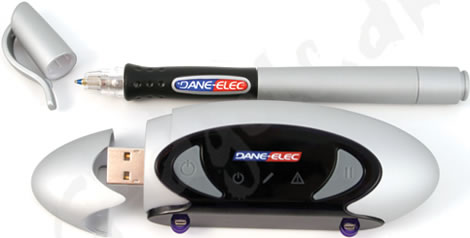
The Dane-Elec Zpen device provides you with a quick and easy way to transfer all of your handwritten notes directly to your computer, kind of like we have seen with the Iogear, the Quickies and the Mobile Notetaker.
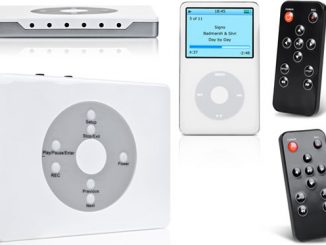
Zpen works by attaching the receiver box onto a notepad or clipboard (up to A4 in size) and switch it on. Now you can write down whatever or as much as you want, using the Zpen ballpen, and it will be transferred directly to the memorystick in the receiver box. The memorystick can hold up to 1 GB of data = A LOT of notes!
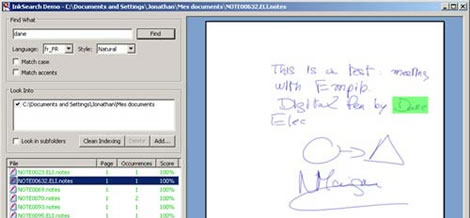
When you then are done for the day and want to transfer the notes to your PC, all you have to do is to plug it into a USB port on your PC and open one of the three “tools” that are included in the Zpen set.
The Dane-Elec Zpen is available over at the Gadgets.dk website for 899 DKK (about $186 USD).



what happens when the ink runs out? can you get replacements or does the ink NEVER run out?
The pen features a standard ink replacement solution.
When it converts a page of handwritten text into computer text, does it compress the text? – you get more word processed type than handwritten words on a page – or does it simply transfer what is written on the page onto a single page on the computer?
Am I making sense? Would be a first!
My guess is that it saves them as pdf files or something similar.
can you edit the stored text once it is on the computer?
I don’t think so, but I’m not sure.
It opens your scribblings up using your own word processing software, so you can play with it and edit it to your heart’s content.
Thanks a lot for the info, Stuart!
Does it work wit a mac or not? Never clear to me. NP
Yes Nils, the Dane-Elec Zpen works with PC, Mac and Linux.
Does it support the Greek language? If yes, I buy it tomorrow morning, if not today.
I’m not sure George, maybe you could try contacting the retailer for the “Dane-Elec Zpen” (link included in article) and ask.
Have to correct you on the “works with mac and Linux”. It will allow you to view your notes with a Mac but will not let you edit it as the software supplied only works with PCs, unless you know of another piece of software that will work with it.