
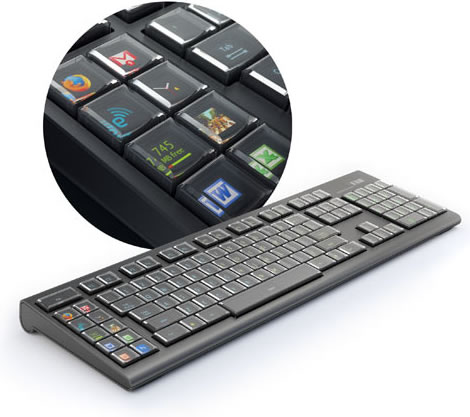
The day that some began to doubt it would ever come is finally here – the Optimus Maximus OLED keyboard from Art. Lebedev Studio has arrived.
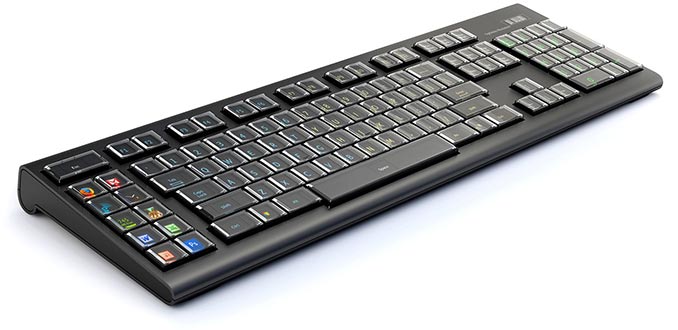
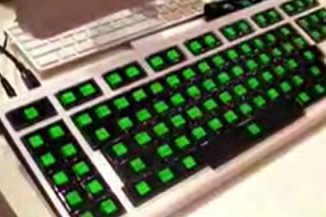
As you should know by now this amazing keyboard features a tiny screen on each key… that’s 113 screens in all. What can you do with these tiny screens you ask? Well each key can change it’s image dynamically depending on what you doing.
Hold down SHIFT and all keys go uppercase. Run Photoshop and you can set it so each hotkey has an image representing it’s function. Set a key to monitor your CPU usage or display what iTunes track you are currently playing. You can make a key into a tiny clock with moving hands and play animated gif files or even quicktime movies.
Here’s a video showing the Optimus Maximus keyboard in action:
Optimus Maximus Keyboard
- Revolutionary Keyboard Features a tiny OLED screen on each key. 113 screens total
- Each key can be individually programmed to perform a series of functions, open an application or run an Applescript (Mac only)
- Various System Monitor functions can dynamically display on a key including CPU usage, CPU temperature, Network Speed, and Memory Usage
- Play a GIF animation or Quicktime movie on a Key
- Paint images across all keys at once in your image editor of choice
- Key sets can be linked to an application, so whenever you open that app the appropriate keys come up
- Powerful layer function allows you to combine existing key sets in different ways
- Use any language with the appropriate key images including Cyrillic, Ancient Greek, Georgian, Arabic, Quenya, and Hiragana
- Display notes, numerals, special symbols, HTML codes, math functions or any other special symbol
- Any key (or to be exact, a unit consisting of a cap, a microchip and a display) can be easily removed by hands to be cleaned or replaced
- Built in USB hub
- SD Card Slot for Storing keyboard Settings
System Requirements
- PC with installed OS Windows XP or Vista, with a USB 1.1 (or better 2.0) port; Mac OS X 10.5.1 or higher
- At least 20 MB of free space on hard drive
- At least 256 MB of RAM
Product Specifications
- Keyboard Dimensions: Length 537 mm, Width 173 mm, Height 38 mm
- Key Dimensions: 20.2 x 20.2 mm
- Display Dimensions: 10.1 x 10.1 mm viewable area on each key
- Display Resolution: 48 x 48 pixels per key
- Frame Rate: 10 FPS
- Color Depth: 65,536 Colors
- Viewing Angle: 160 degrees
The Optimus Maximus Keyboard is yours for $1,589.99 from ThinkGeek.


Its a nice ,but where can I buy it ?
Simply follow the link included at the bottom of the news article.
Cool keyboard!
Wow! Can it glow in the dark? I use pcs in very dim conditions, use two different keyboard layouts (both QWERTY, but u know what i mean), and don’t touch type perfectly, so I have to look at the keys sometimes.
I also wonder how the keys themselves would feel: the keys appear to be planed flat on the top; I wonder how ergonomic that is?
But verrrry cool….would be really awesome to be able to add keys like “n~” bc I type in Spanish frequently enough to want that type of key.
Yes, it should be able to do that. You can also check out this video of the Optimus Maximus Keyboard in action.