


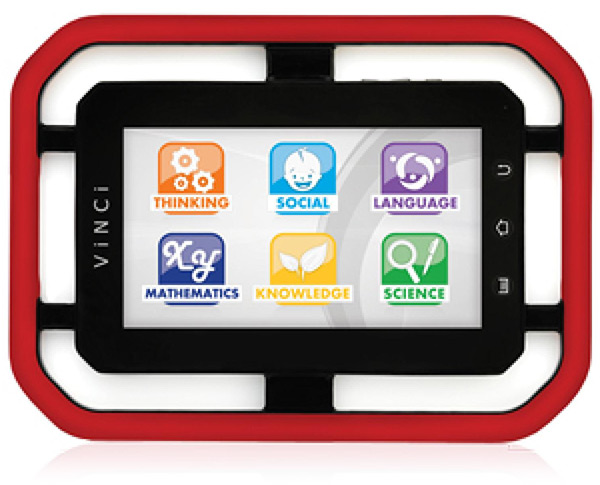
If you have a young child and an iPad or other tablet, chances are they are drawn to it. However, you can’t let them use it, as they could break your expensive electronics, and even worse, hurt themselves with it. Yet you would still like them to have access to learning apps. We’ll look at one solution to this quandary in this VINCI Tab II Touch Screen Learning Tablet Review.
The VINCI Tab II is a 7″ touch screen tablet, running Android, that is surrounded by a protective soft handle. Most toddlers like to put everything in their mouth, so it is fortunate that the handle is coated with a non-toxic food-grade material. While the plastic covering of the tablet itself doesn’t feel especially robust compared to the aluminum case of an iPad, the sturdy handle certainly will provide a lot of protection against drops. We ran into one quality issue with the hardware: the little camera lens cover came off when unboxing the Vince Tab II. We pressed it back on using the residual stickiness, but it didn’t hold very well.
Although child-safe hardware is important, the key to this product is software, namely the VINCI Curriculum. This software, which only runs on the Vinci Tab, is designed to use engaging games to provide incremental and interactive learning for children age 18 months through 5 years old. Our testing found the software adequate, but not impressive. Our 3 year old test subject didn’t find the software especially interesting or challenging, but she is approaching 4 years old and is admittedly very smart. Overall the VINCI software is a much better fit for toddlers, rather than kids at the upper part of the age range.
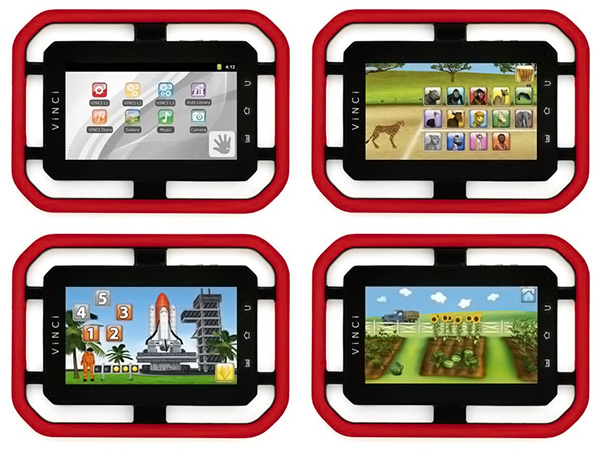
VINCI was created as a new category of learning tools for a collaborative and fun learning experience with the goal to engage, empower and educate young children and help them achieve early learning objectives. VINCI Tab II works in conjunction with the world’s first developmentally-designed digital learning curriculum, comprised of a series of age specific learning apps and assessment tools, and is the only technology platform specifically designed for toddlers and preschoolers.
VINCI Curriculum covers Thinking Skill, Emotional/Social Learning, Maths/Logic Reasoning, Language, General Knowledge, and Science. VINCI Curriculum apps are designed to run only on VINCI Tab.

VINCI Tab II Features
- Little handle for little hands – keeping your child 100% mobile
- Desktop Connection for app installation and media synchronization via VINCI Tab Manager
- Display: 7-inch (diagonal) glossy widescreen, multi-touch, 800-by-480-pixel resolution
- 3 megapixel back-facing camera/camcorder
- 512MB RAM, 8G Internal Storage
- Expandable storage with MicroSD card slot (up to 32GB)
- Full MP3, MP4 player
- 6 to 8 hours of continuous play time (6400 mAH rechargeable battery)
- Size and Weight: 7.3″ (18.5 cm) by 10″ (25.40 cm) by 0.67″ (1.7 cm); 1.5 lb (0.68 kg)
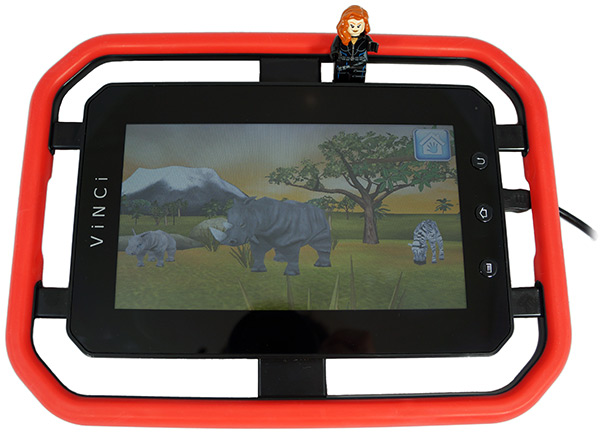
As typical for GeekAlerts reviews, we like to show a LEGO minifigure in a picture for size comparison purposes. In the above picture you can see Black Widow, a minifigure that comes with one of the new Avengers Lego Sets.
VINCI Tab II 7″ Touch Screen Learning Tablet
- The only tablet powered by a developmentally-designed digital learning Curriculum, with monthly learning subjects and assessment tools. Created for toddlers and preschoolers
- Child Safety: the only tablet certified for Child Safety
- Age: the only tablet designed, tested and certified for children ages of 18 months and older
- Mobility: the only tablet with a patented handle that keeps your child mobile, turning every moment into a learning opportunity
- FREE content: VINCI Curriculum Level 1 samples (6 apps), 3 interactive Storybooks, Baby Haha’s Music Video album filled with 20 award-winning animated videos, including Lullabies and Sing-n-Dance.
VINCI Tab II is available at the Vinci Genius Store for $199 (no WiFi) or $249 (with WiFi). It is also sold on Amazon.com. While the price isn’t cheap, it is a lot less expensive than many other touchscreen tablets out there like the Apple iPad.
2 Comments
can other apps be used? from all providers or some? which ones? does it cause problems? or is it a seemless transition? I want something that can grow with the child from pre to hs. I have older(13yr – 10yr) kids using Khan academy and other online activities and little(3yr – 6yr) so I’m looking for something that can be used by more than one user.
Before you spend the money, I recommend you call the toll free number so they can accurately answer all the questions you may have.
• Hours: Monday – Friday:
9am – 8pm PST
(12pm – 11pm EST)
Toll Free
• 1-855-MY-VINCI